



Detect Platform & Existing Cookie Tool _func: "detect_platform"
In the DPDP Star Console (Onboarding), enter your website URL. The scanner fetches up to 3 pages over HTTPS (pinned to public IPs) and fingerprints the platform (WordPress, WooCommerce, Shopify, Wix, Webflow, Next.js, React SPA, plain HTML) plus any existing consent/cookie tool.
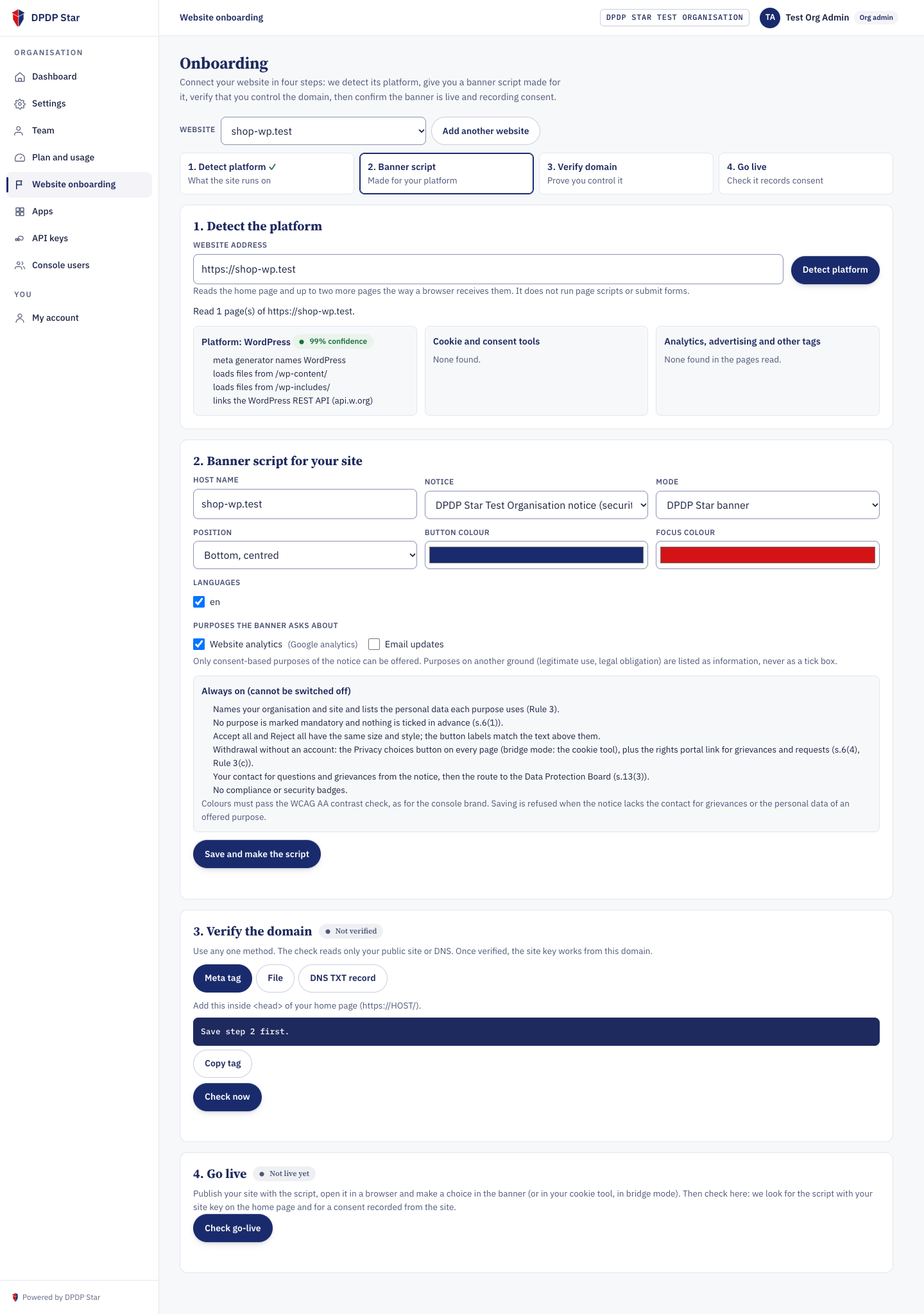
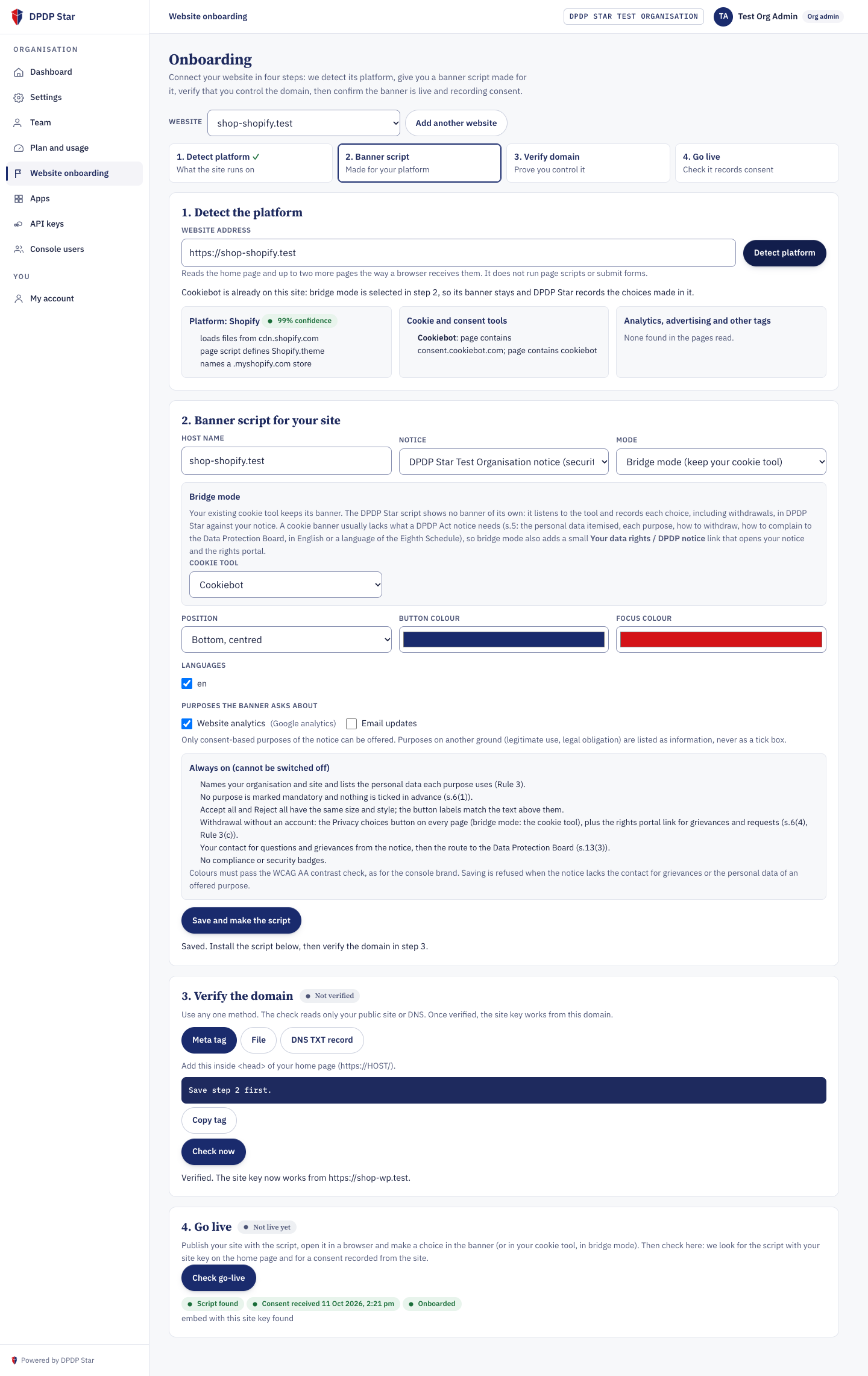
Generate Publishable Site Key (pk_...) & Copy Platform Snippet _func: "save_site_setup"
Generates one publishable site key (pk_ + 32 hex) bound to your organisation and host, validates WCAG AA contrast on your chosen banner colours, and provides copy-ready installation instructions tailored to your platform.
<!-- Standard DPDP Star Rule 3 Banner Mode -->
<script src="https://app.dpdpa.support/embed/dpdp-star.js"
        data-site-key="pk_0123456789abcdef0123456789abcdef"></script>

<!-- Cookie-Banner Bridge Mode (keeps your existing cookie tool + adds DPDP Section 5 notice pill) -->
<script src="https://app.dpdpa.support/embed/dpdp-star.js"
        data-site-key="pk_0123456789abcdef0123456789abcdef"
        data-mode="bridge"></script>
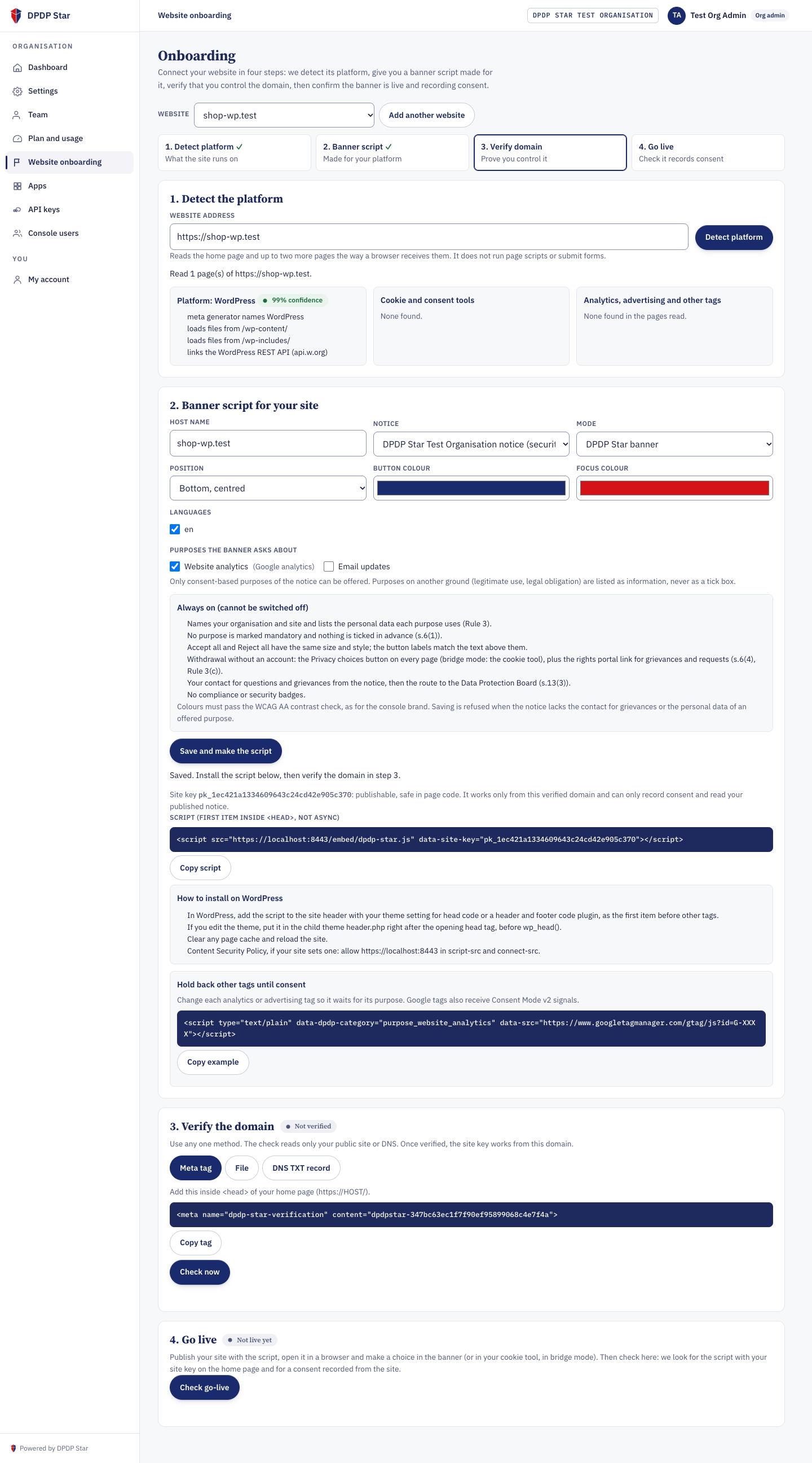
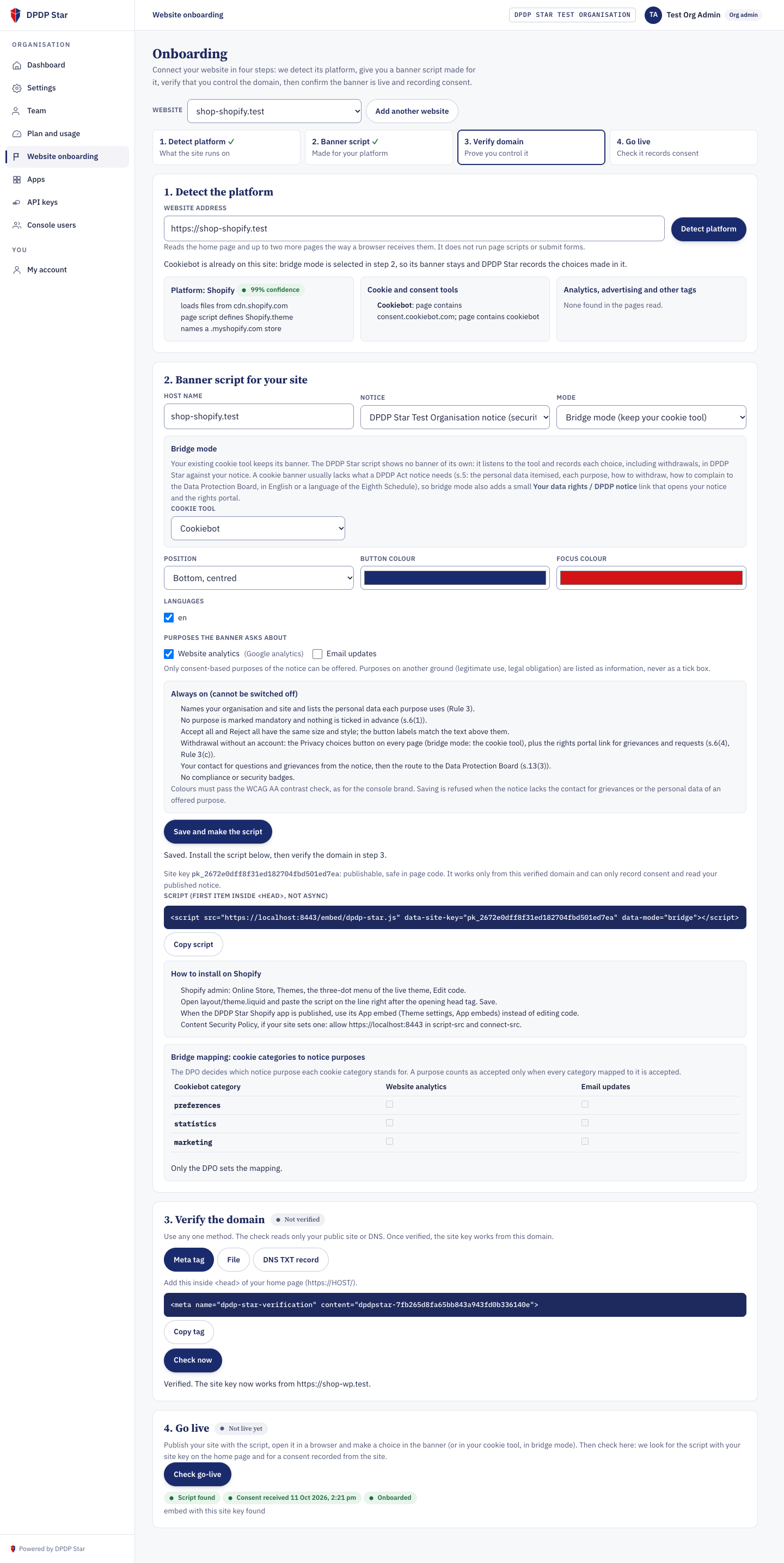
data-mode="bridge" so Consent Mode defaults remain with your existing cookie banner while DPDP Star records signed consent artifacts.
Map Cookie Categories to DPDP Notice Purposes _func: "set_bridge_mapping"
In Bridge Mode, mapping a third-party cookie category (such as statistics or marketing) to an itemised DPDP Act purpose is a statutory compliance decision reserved for the organisation's DPO.
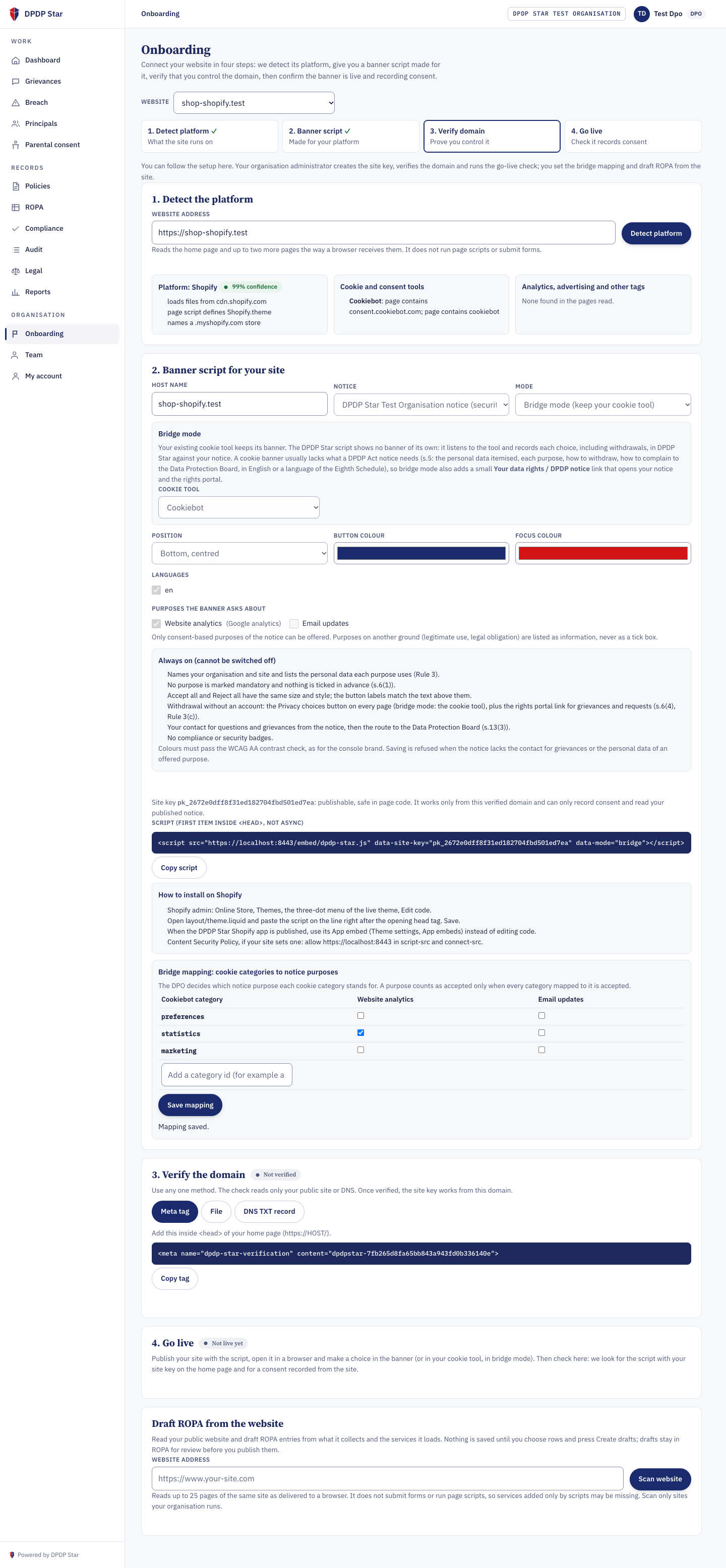
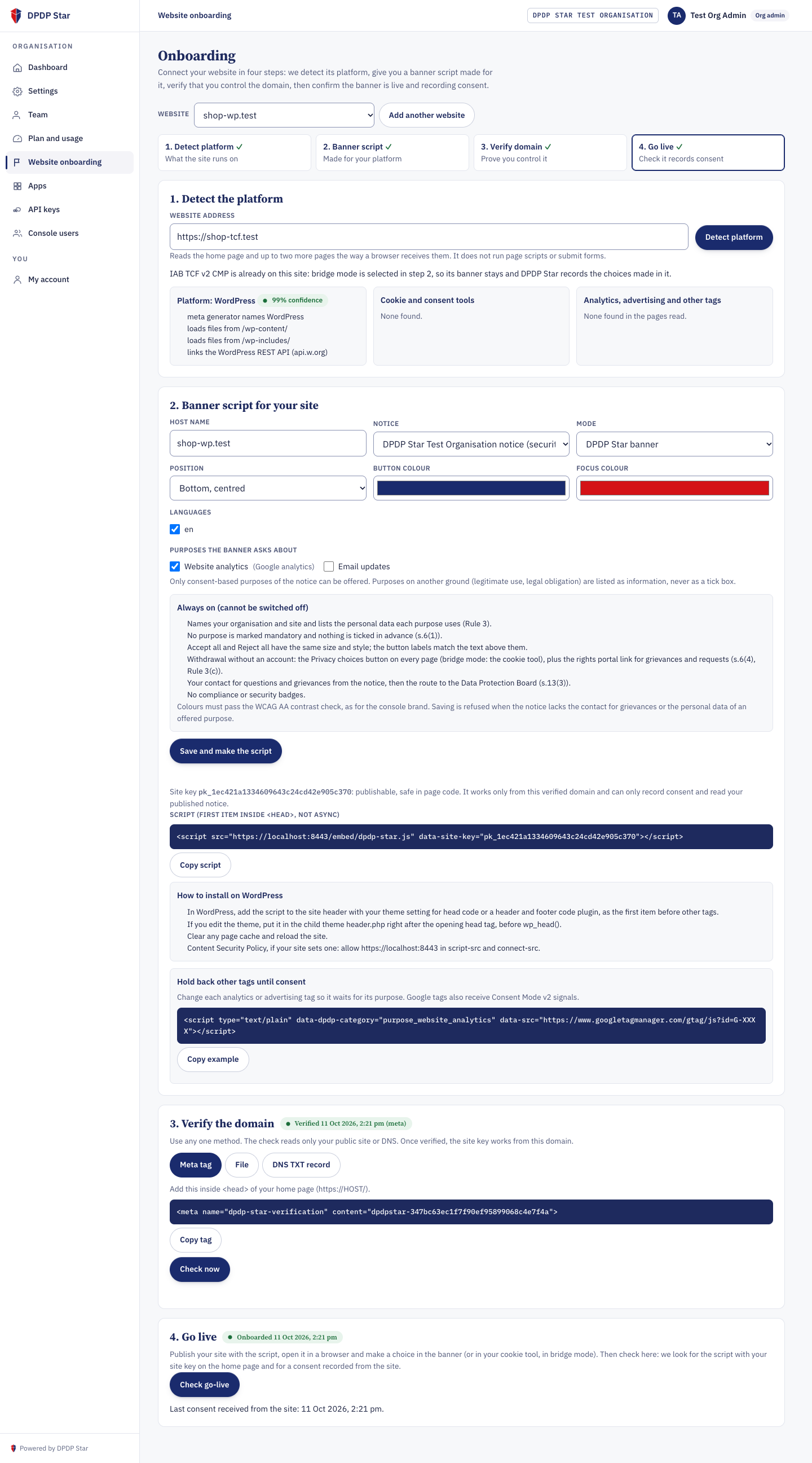
AccessPolicy: Admin configures the host and script; DPO signs off on purpose mapping and RoPA.
Verify Domain Ownership _func: "verify_site_domain"
Prove domain ownership using any of three methods: DNS TXT record (_dpdpstar-verify.<host>), HTML meta tag (<meta name="dpdp-star-verification" content="TOKEN">), or https://<host>/.well-known/dpdp-star-verification.txt.
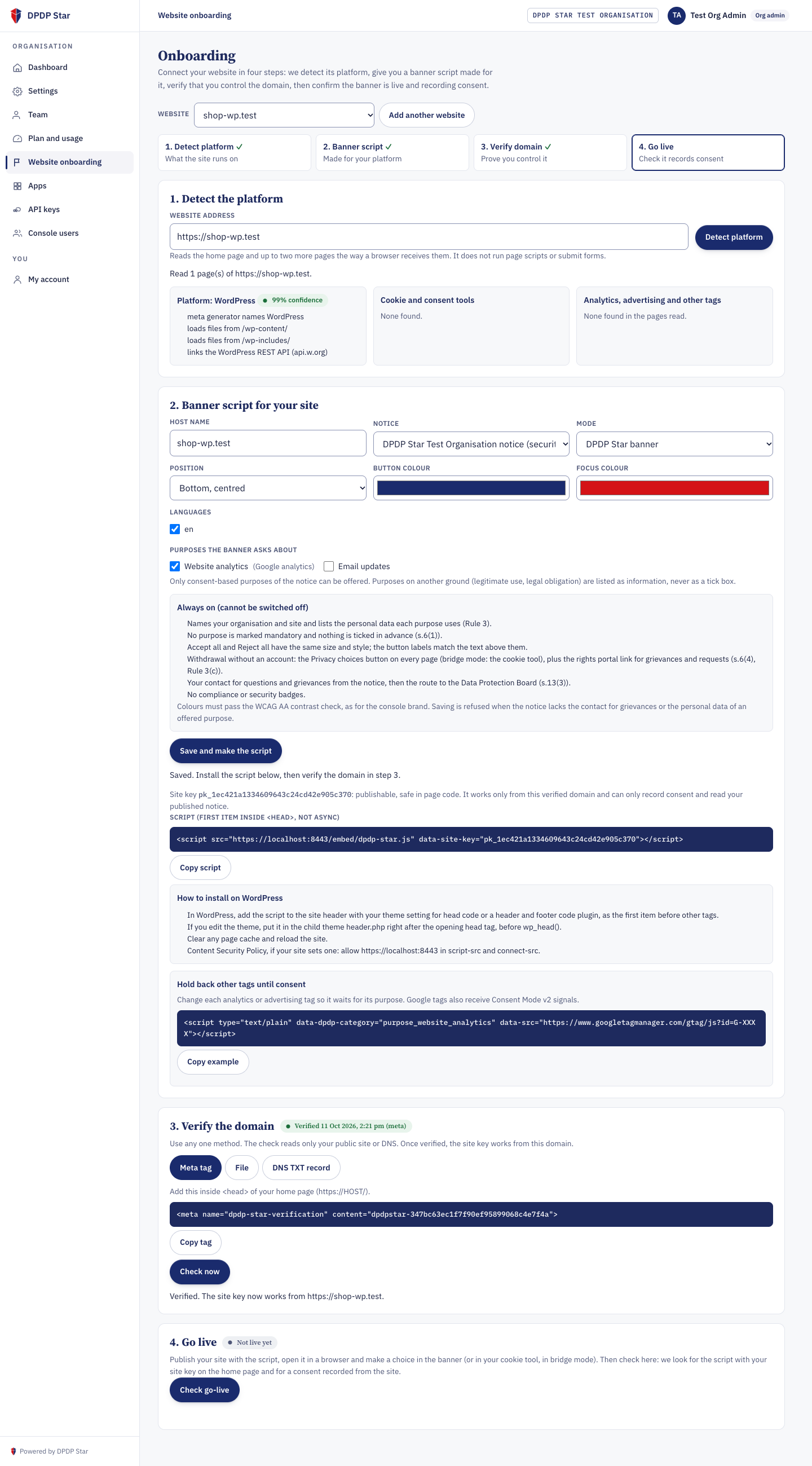
/embed/v1/config and /embed/v1/consent accept HTTPS requests from that exact origin.
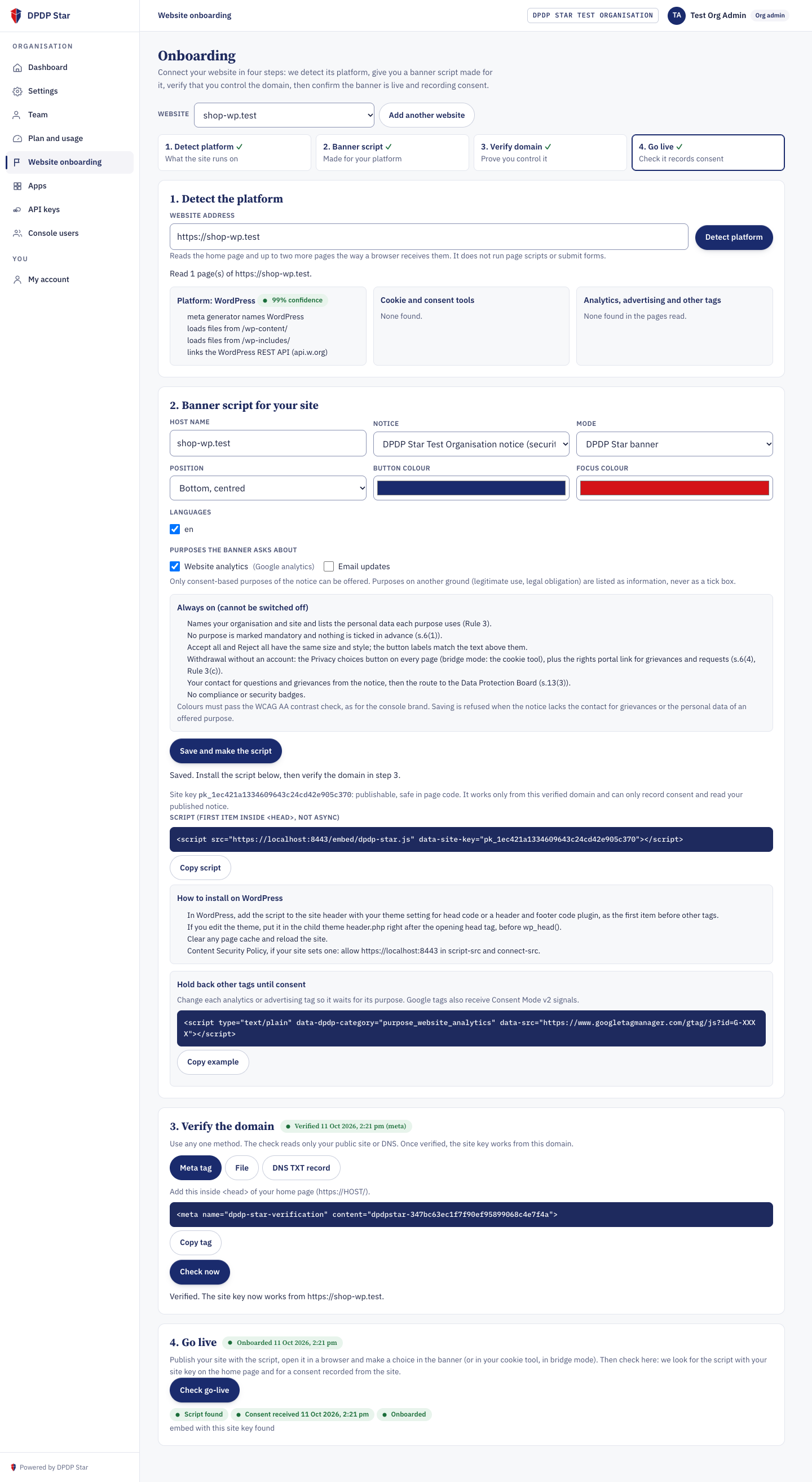
Go-Live Check & Storefront Rendering _func: "check_go_live"
The scanner verifies that dpdp-star.js with your data-site-key is present on the live home page and that at least one consent event has arrived from that origin.
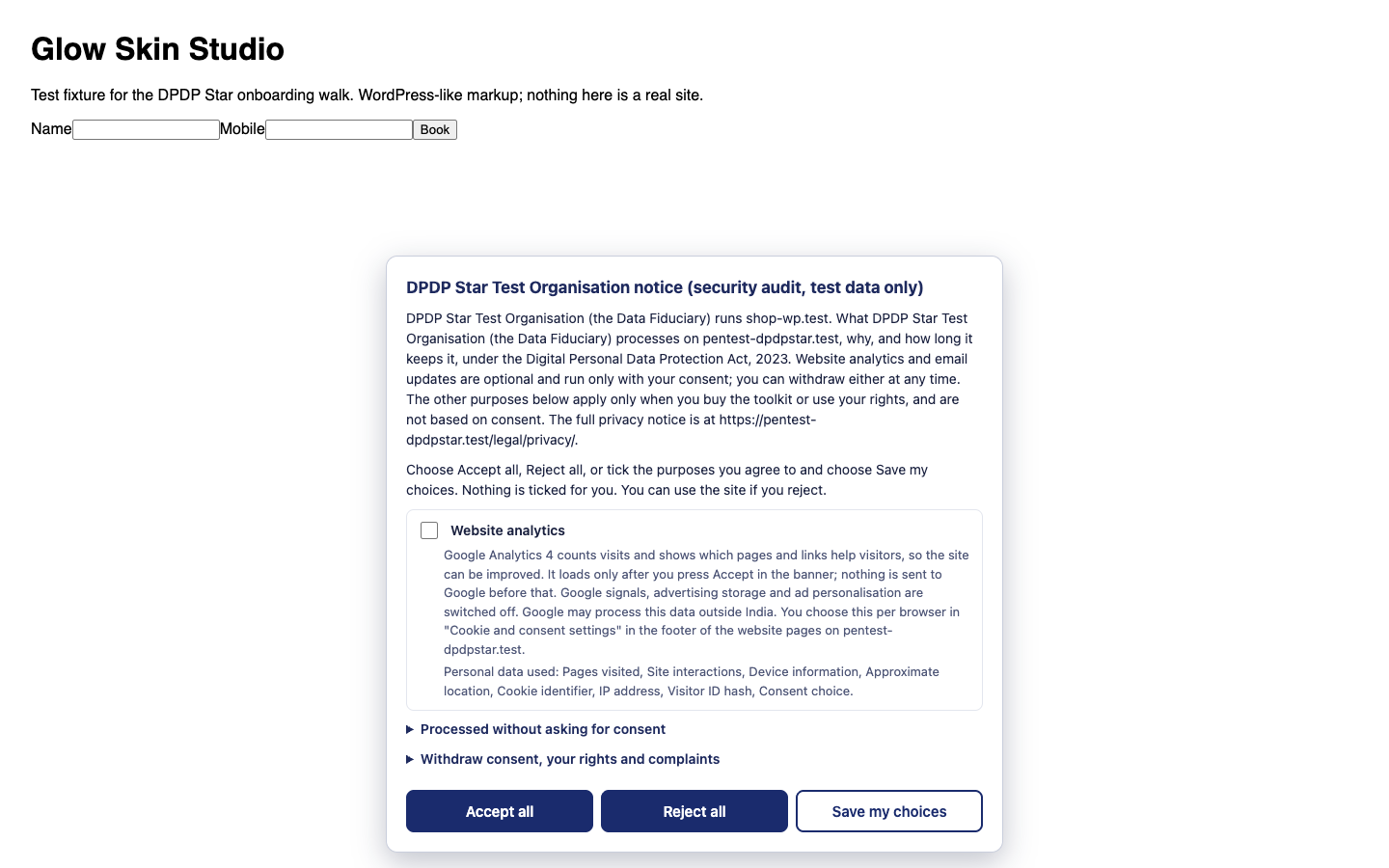
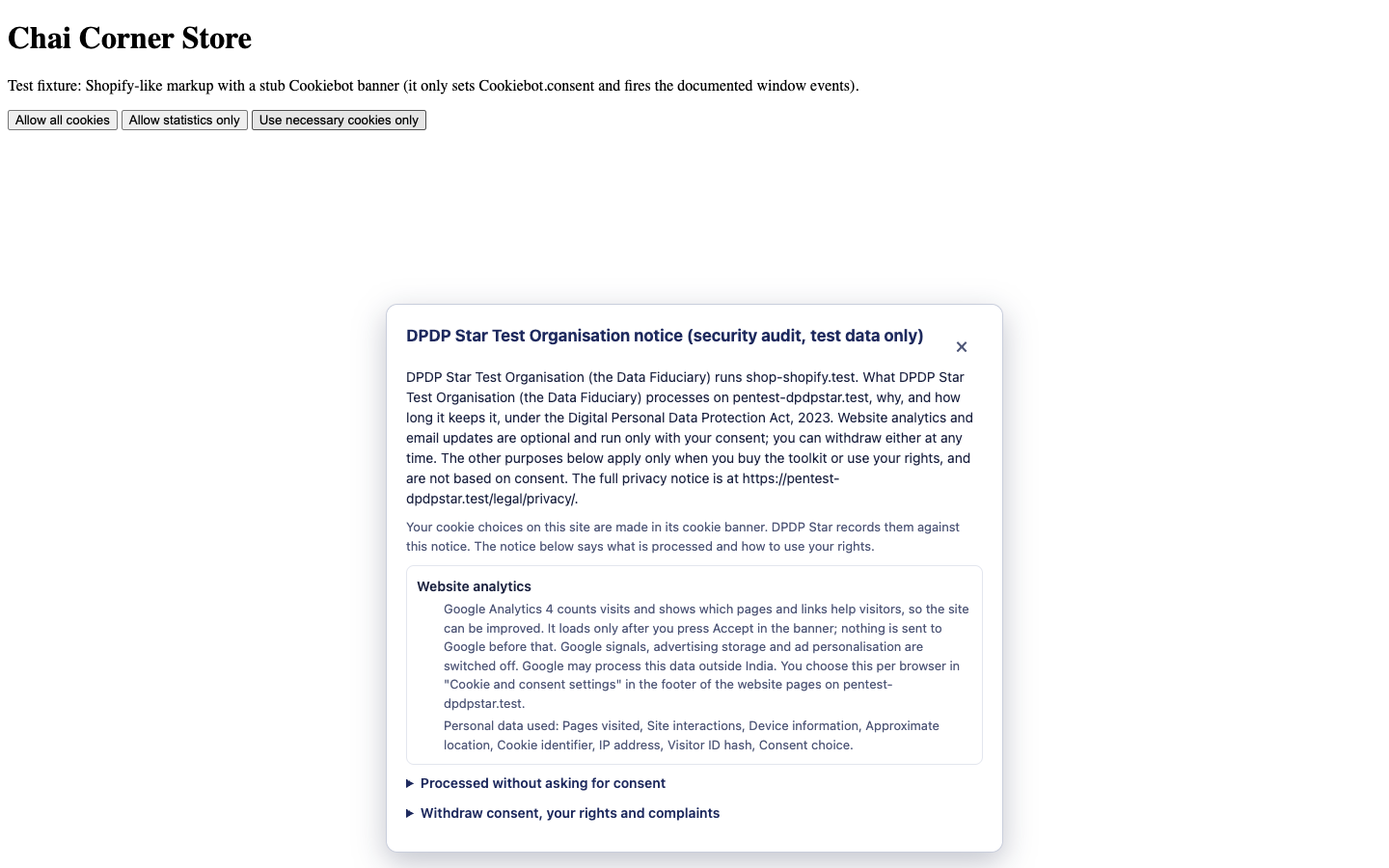
Supported Cookie-Banner Bridge Mode Adapters
Built into /embed/dpdp-star.js and verified by ConsentMechanism allowlist on POST /embed/v1/consent.
| Tool (`cookie_tool`) | Recorded Mechanism | Browser Events Monitored | Default Categories Offered for DPO Mapping |
|---|---|---|---|
OneTrust (onetrust) |
BRIDGE_ONETRUST |
OneTrustGroupsUpdated, OneTrust.OnConsentChanged, OptanonWrapper |
C0002, C0003, C0004, C0005 |
Cookiebot (cookiebot) |
BRIDGE_COOKIEBOT |
CookiebotOnConsentReady, CookiebotOnAccept, CookiebotOnDecline |
preferences, statistics, marketing |
CookieYes (cookieyes) |
BRIDGE_COOKIEYES |
cookieyes_consent_update, getCkyConsent() |
functional, analytics, performance, advertisement, other |
Complianz (complianz) |
BRIDGE_COMPLIANZ |
cmplz_status_change, cmplz_enable_category, cmplz_revoke |
preferences, statistics, marketing |
Osano (osano) |
BRIDGE_OSANO |
osano-cm-consent-saved, osano-cm-consent-changed |
ANALYTICS, MARKETING, PERSONALIZATION, STORAGE |
Didomi (didomi) |
BRIDGE_DIDOMI |
window.didomiEventListeners (consent.changed) |
Tenant-defined Didomi purpose IDs |
Usercentrics (usercentrics) |
BRIDGE_USERCENTRICS |
UC_CONSENT window event (ALL_ACCEPTED state) |
Tenant-defined Usercentrics category keys |
IAB TCF v2.2 (tcf) |
BRIDGE_TCF |
__tcfapi('addEventListener', 2, cb) on useractioncomplete |
TCF purposes 1 through 11 |
Google Consent Mode v2 (gcm) |
BRIDGE_GCM |
dataLayer gtag('consent', 'update', {...}) |
analytics_storage, ad_storage, ad_user_data, ad_personalization |
Zero Data Collection & No Liability: This documentation page collects zero personal data, zero cookies, and zero analytics. All instructions, script snippets, and Bridge adapter mappings are provided “AS IS” as software documentation, not legal advice. Your organisation remains solely responsible for testing and statutory compliance under the DPDP Act, 2023.